All In Rate Feature
Upon reaching this stage, you have the option to proceed to the next step for sending the quote to your customer. However, should you wish to offer a flat rate to the customer, follow these steps:
- If you want to offer a flat rate to any particular customer, click on "All in Rate".
- Upon clicking "All In Rate," you can enter the specific flat amount you want to charge to customer.
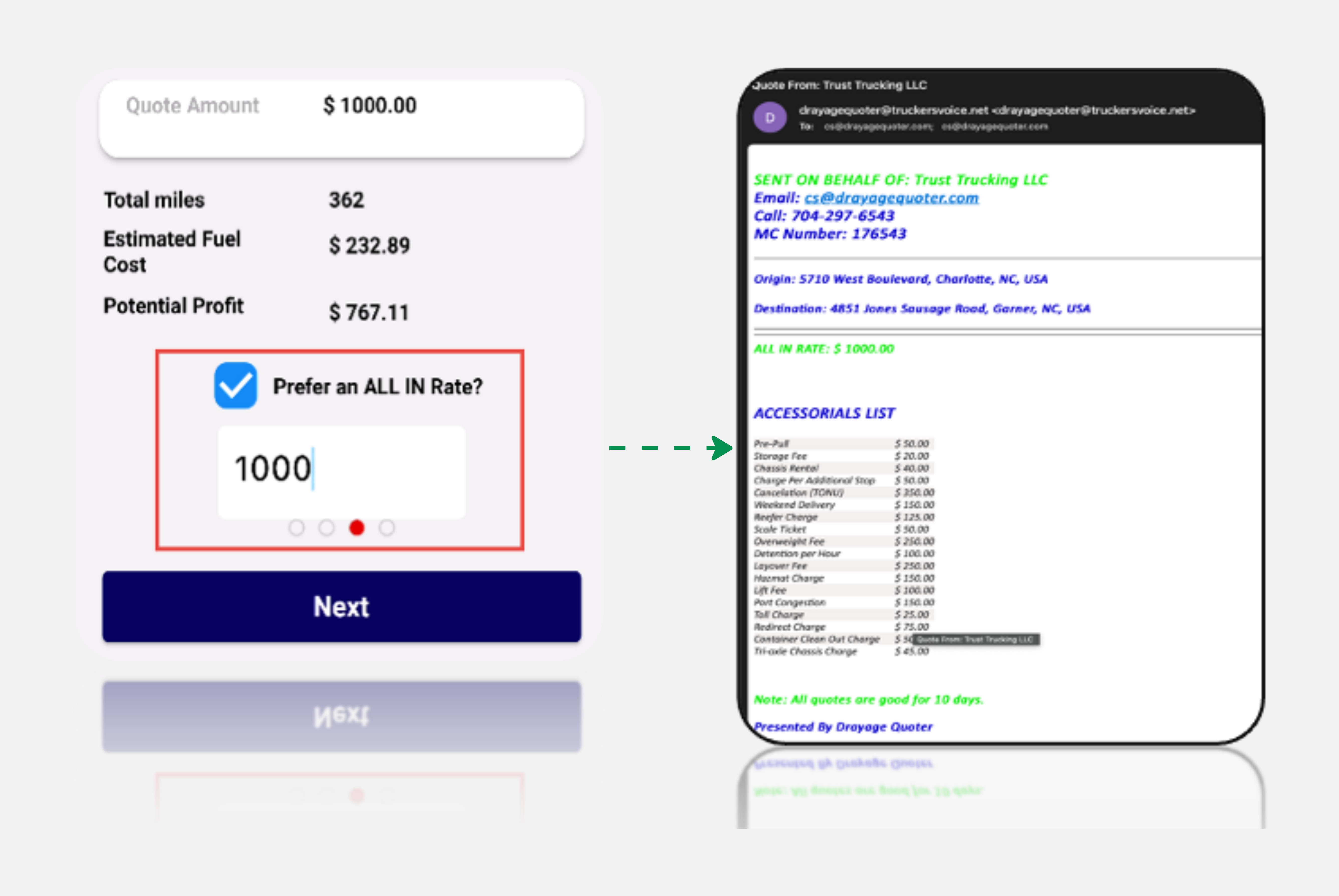
As a result, the system will adjust the total quote to reflect the flat amount. When you proceed to send the quote to your customer, it will now show the flat amount ($1000) to customer. If you decide not to offer a flat rate, simply unselect the "All In Rate" option, this will then show the original calculated amount of the quote.
Tip
This feature enables you to adapt your pricing based on the specific circumstances or relationship with the customer, enhancing flexibility in your quoting process.
Proceeding to Next Step, once your decision is made, click "Next" to continue with the chosen pricing strategy, whether flat or at the standard rate.